In-person weekend course · Toronto
Vibe Coding for Everyone
Two days. No coding background. You leave with something you designed and built yourself, and a way of thinking you can use on every project after it.
- Dates
- PLACEHOLDERSat Jan 17 – Sun Jan 18, 2027
- Time
- 9:30am – 5:30pm both days
- Location
- Downtown Toronto (exact address sent after booking)
- Price
- $499 CAD per person
- Seats
- 16 of 16 seats left
Who it’s for
- You’ve never written code and want to build something real
- You have an idea for a website or tool, or want help finding one
- You’re tired of AI hype and want to actually understand it
- Small-business owners, teachers, creatives, career changers, retirees: all welcome
Already an experienced developer? The AI agents course is a better fit.
High school students aged 15 and up are welcome in the regular class. Under 18? A parent or guardian signs a consent form when you book.
What you’ll leave with
- A project you designed and built, live on the internet with its own link
- A method for planning any future project: what parts it needs and which tools fit
- Enough confidence to keep building on your own
How this is different from other AI courses
Plenty of courses will show you an AI tool. Here’s what you get here instead.
Most AI courses
This course
Most AI courses: Hand you a template to copy
This course: Teach you how to plan any project from scratch, so you don’t need a template
Most AI courses: Teach tricks for one tool, which change every few months
This course: Teach how software is put together, which stays true when the tools change
Most AI courses: Everyone builds the same demo app
This course: You design and build your own idea, your way
Most AI courses: Big online cohorts or lecture halls
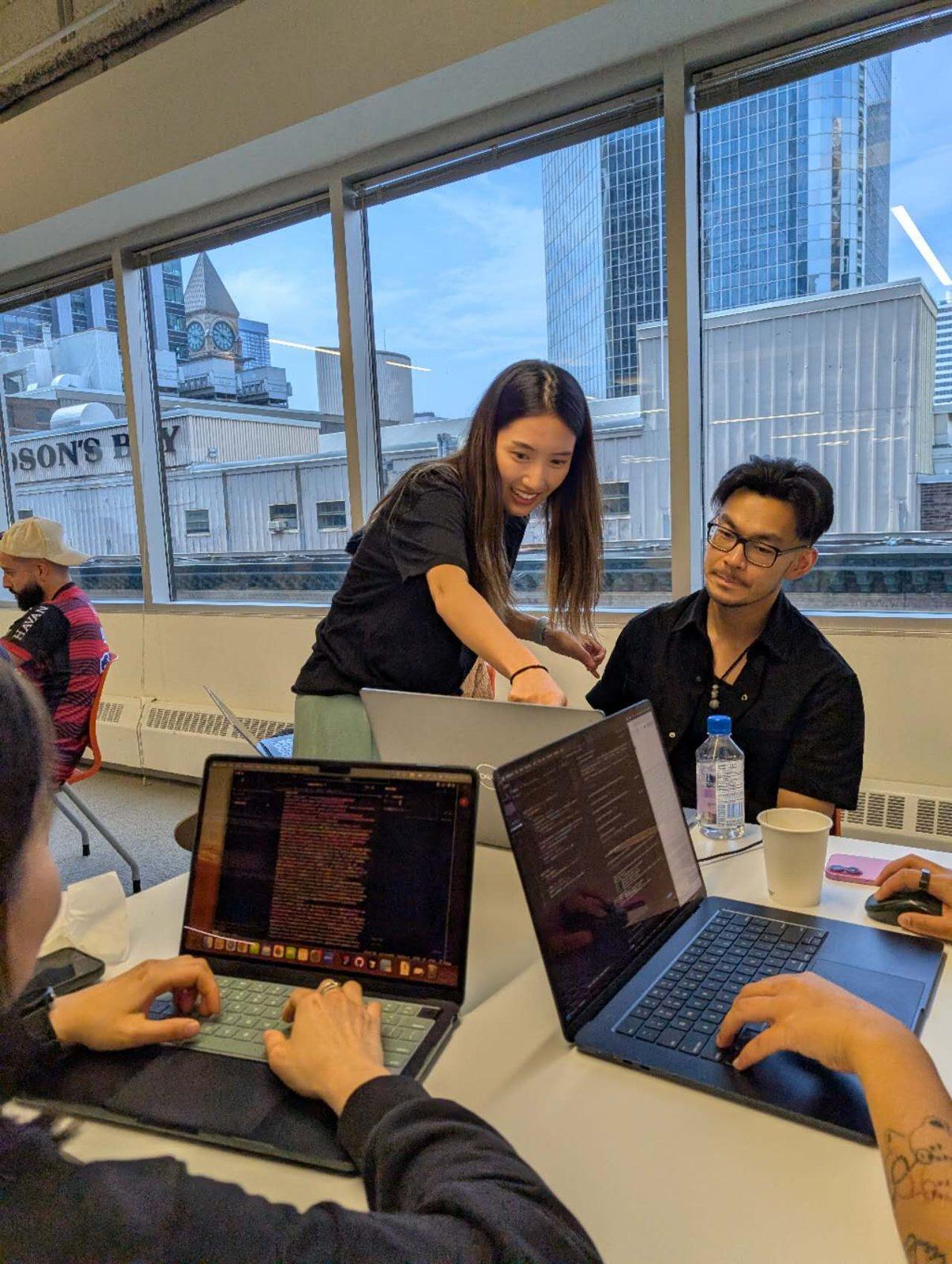
This course: In person, at most 16 people, with hands-on help when you’re stuck
Most AI courses: Stop once it runs on your laptop
This course: Put it on the internet, and learn how to check that it actually works
Most AI courses: Assume you already know some tech
This course: Built for complete beginners, from teens to retirees
The two days
Day 1 · Understand, design, build
- 1How software works: front end, back end, database, API, GUI, explained with real-world examples
- 2Product thinking: what are you building, who is it for, what parts does it need, and which tools fit
- 3Group case study: plan a website for a local gym, together
- 4Lunch, plus a setup help hour for anyone whose laptop isn’t ready
- 5Build it with Claude Code, with help at every step
- 6End-of-day demo: show one thing you made
Day 2 · Launch it, then make your own
- 1Put your project on the internet (deployment)
- 2How to tell whether what you built actually works, using AI to check, plus the basics of keeping it safe
- 3Design your own project and pitch it to the group
- 4Build time, with one-on-one feedback
- 5Demo Day and Starter Fund awards
Before the weekend
After you book, you’ll get short setup videos to watch at home. If anything goes wrong, bring your laptop to the setup help hour at lunch on Day 1. The morning is all concepts, so nobody falls behind.
Demo Day & Starter Fund
At the end of Day 2, everyone shows what they built. Three projects win money to keep building:
1st
$250
2nd
$150
3rd
$100
Judged on how useful and creative the idea is, the pitch, and how far you got. You don’t need to finish to win.
What’s included
- Two full days of teaching and hands-on help
- Setup videos before the course
- PLACEHOLDERLunch both days? Snacks and coffee?
- PLACEHOLDERGroup chat with your cohort after the course?
- A chance to win the Starter Fund at Demo Day
What to bring
- A laptop: Mac or Windows that you can install software on. Chromebooks, iPads and locked-down work laptops won’t work.
- Your charger
- PLACEHOLDERA paid Claude subscription (about $X/month), or: provided for the weekend. Decide which.
- An idea, if you have one. If not, we’ll find one together.
Questions
Do I need any coding experience?
None at all. The course is built for people who have never written a line of code.
What laptop do I need?
A Mac or Windows laptop from roughly the last five years that you can install software on. Chromebooks, iPads and locked-down work laptops won’t work.
Do I need to pay for AI tools?
PLACEHOLDERDecide: is a Claude subscription included in the price, or do students buy their own (about $X/month)? Say it clearly here.
Do I need to install anything beforehand?
You’ll get short setup videos after booking. If you get stuck, bring your laptop to the setup help hour at lunch on Day 1.
Can teenagers join?
Yes, high school students aged 15 and up join the regular class. If you’re under 18, a parent or guardian signs a consent form when you book.
What if I don’t finish my project?
Most people won’t finish in two days, and that’s fine. You’ll leave with a working start and know how to keep going.
How big is the class?
Small, so everyone gets help: up to 16 people.
Is food included?
PLACEHOLDERLunch both days? Snacks? Decide and update.
What’s the refund policy?
PLACEHOLDERe.g. Full refund up to 14 days before. After that, transfer your seat to a future weekend or to a friend.
What happens after the course?
PLACEHOLDERe.g. A group chat with your cohort and a follow-up online session two weeks later.
Ready to build something of your own?
Seats are limited so everyone gets help.
- Dates
- PLACEHOLDERSat Jan 17 – Sun Jan 18, 2027
- Time
- 9:30am – 5:30pm both days
- Location
- Downtown Toronto (exact address sent after booking)
- Price
- $499 CAD per person
- Seats
- 16 of 16 seats left